Blog post
Git Automation: Clean Commits Without Thinking
One Rust-fast gate on every commit: Biome lints and formats, Lefthook enforces, Commitizen standardizes the messages.
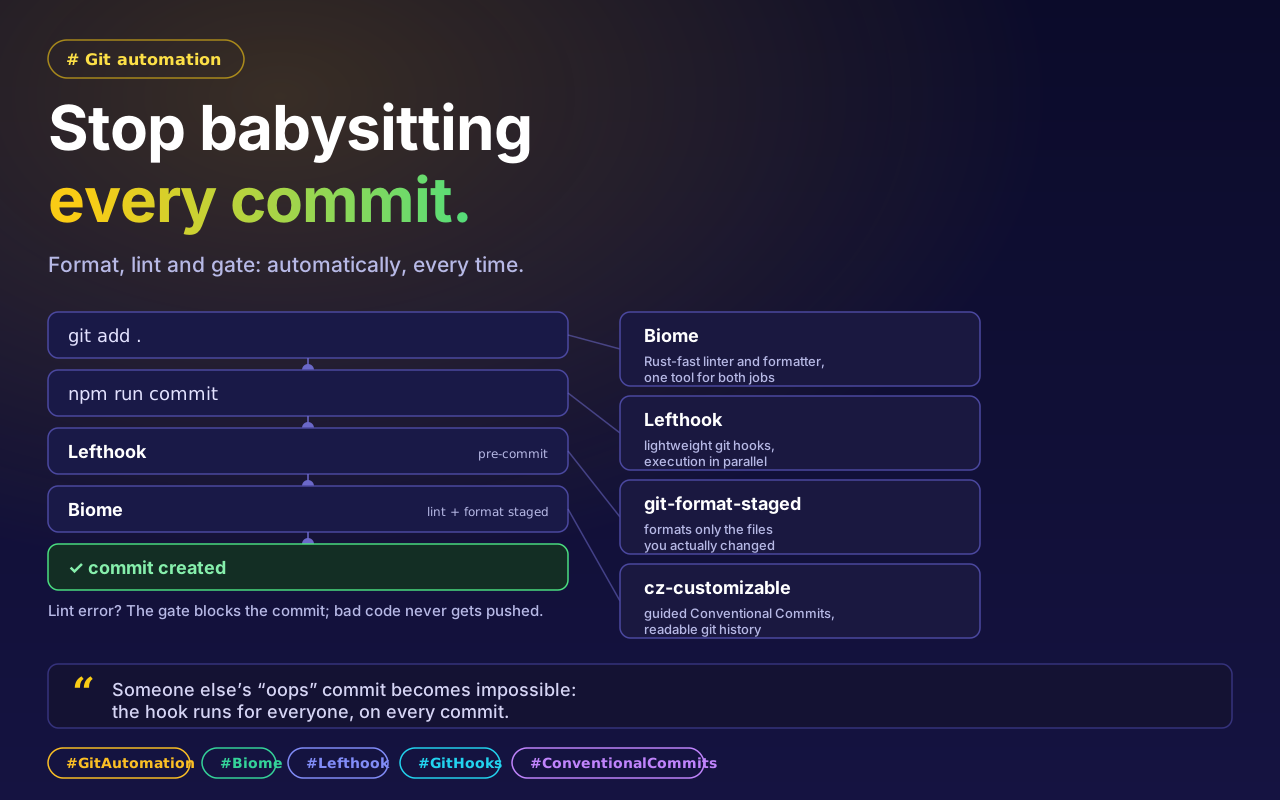
As a developer, writing the code matters to me just as much as maintaining it and keeping teamwork smooth. Actually, the maintenance matters more. In every project, big or small, you keep seeing someone push code with the wrong formatting, or commit messages that leave you no idea what work was done. Handling these problems manually is a waste of time. So I implemented a robust automation setup for our React project.
Why this automation was needed
So code formatting and linting stay identical for everyone.
So bad or broken code cannot reach git.
So commit messages follow a standard format (Conventional Commits).
So the CI pipeline checks all these rules automatically.
What we used, and why
For this setup I used some modern tools that made our development lifecycle noticeably faster.
1. Biome (linter + formatter). At first we thought about ESLint and Prettier. But I chose Biome. Why? Because it is built in Rust, which is many times faster than ESLint. It handles both linting and formatting on its own, so the project’s number of configuration files and plugins drops.
2. Lefthook (git hooks). For managing git hooks, most people use Husky. But I used Lefthook here. Lefthook is much more lightweight and it supports parallel execution, which makes the checks considerably faster on a big project.
3. git-format-staged. Rather than formatting the whole project, formatting only the files you have changed (the staged files) is the smarter move. So we integrated git-format-staged, which at the pre-commit stage cleans up only your changes.
4. cz-customizable (Commitizen). When many people work on a team, each person writes commit messages in their own way. To fix that we used cz-customizable. It prompts the developer on what type of work was done (feat, fix, docs, and so on), which results in a presentable, readable git history.
How the automation works
After writing code, run git add .
Then run npm run commit: a guided prompt will appear that helps you write the correct commit message.
In the background Lefthook will run, checking and formatting your code through Biome.
If everything is fine the commit completes. If there is any error it will be blocked, so wrong code does not get pushed.